


Charlie Brown trusts Lucy when she promises to hold the football steady. She doesn’t lie — she just omits one crucial detail: she’ll yank it away at the last second.
Charlie Brown sprints forward.
And then? He attempts the kick and lands flat on his back.
Every. Single. Time.
That’s the same feeling users get when they follow documentation that conveniently leaves out a critical limitation. They try to complete a task, the instructions promise an easy experience, and then — WHAM. They hit a wall.
The absence of key information in documentation doesn’t just create frustration — it erodes trust. When users feel deceived, they don’t blame themselves for not knowing. They blame the product, the company, and by extension, the people who wrote about it.
But omission itself isn’t the problem. Omission is an essential tool in writing. Without it, documentation would be bloated and unusable. The real skill lies in knowing what to omit and what to keep.
Competitive Disadvantage
A competitive disadvantage is any feature, performance metric, or characteristic that puts a product in a weaker position than its competitors. Slow load times, clunky workflows, missing integrations — these things matter. And technical documentation plays a quiet but powerful role in how those weaknesses are framed — or ignored entirely. Writers often face an unspoken directive: Don’t highlight what we do worse than the competition.
The instinct makes sense. No company wants to draw attention to its shortcomings. But omission can create more problems than it solves.
A well-informed user may be frustrated but prepared. A misled user? She feels deceived.
And when trust is broken, she leaves.
If documentation obscures limitations, users don’t just experience frustration. They feel that the company was intentionally withholding information. Over time, this erodes credibility, increases friction, and drives users to seek alternatives.
That’s why omission can either soften the blow of a limitation or make it worse. The key is knowing how to shape user perception without compromising honesty. Done
right, omission eliminates clutter and enhances clarity. Done wrong, it damages trust and increases churn.
Good vs. Bad Omissions
Omitting unnecessary details helps users focus on what actually matters. It’s not about hiding information — it’s about presenting it in a way that keeps users moving forward.
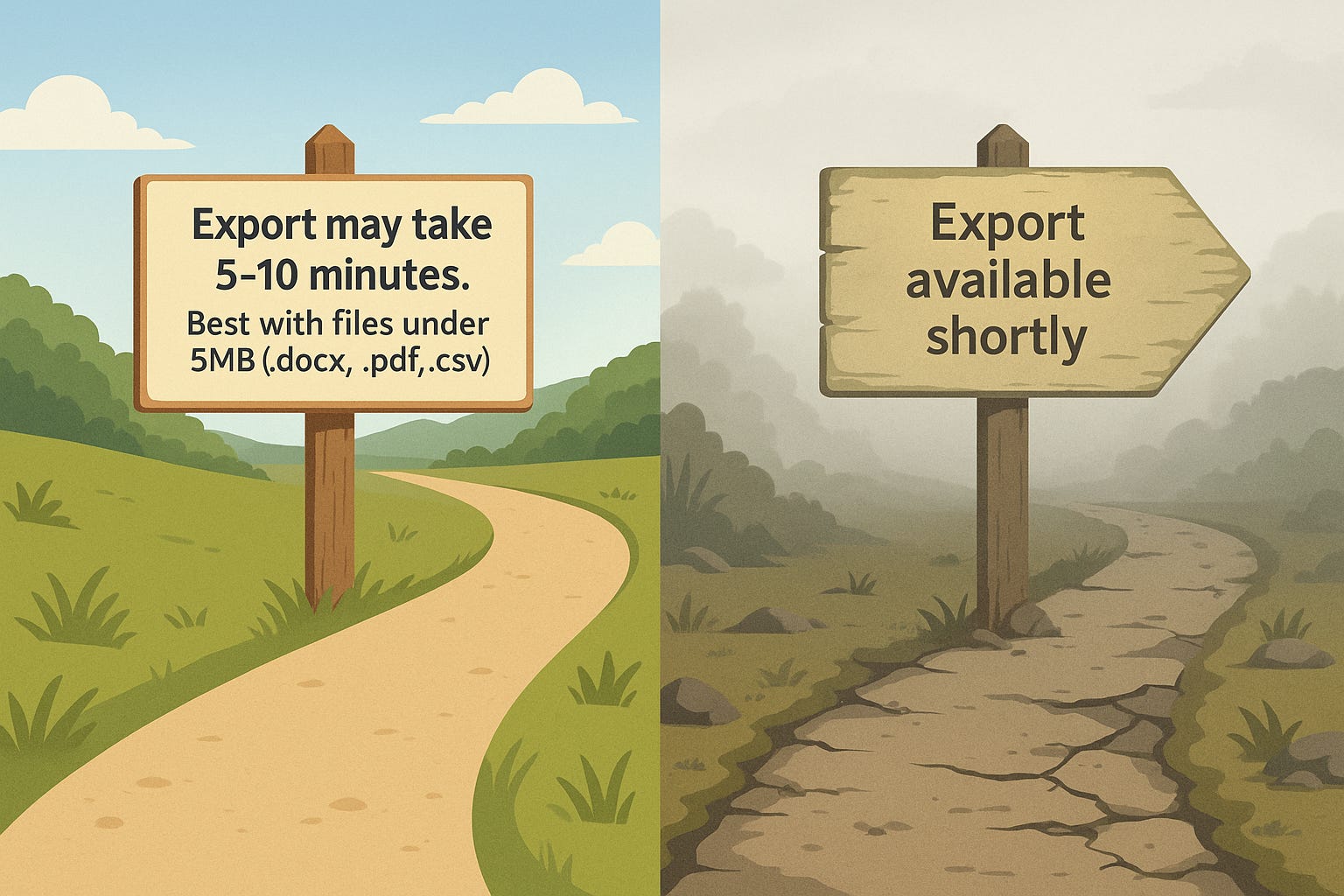
Take a look at these two ways to handle the same feature:
✅ Click the Export button. Exports may take several minutes depending on file size. For best performance, use .docx, .pdf, or .csv files under 5MB.
This doesn’t scream, 'We’re slow.' Instead, it sets expectations, acknowledges reality, and ensures the user knows exactly what they can control. It also proactively guides users toward success, reducing complaints before they arise.
Now compare that to this:
❌ Click the Export button. Your file will be available shortly.
"Shortly?" That could mean five seconds or five hours. The vagueness does the opposite of setting expectations — it creates uncertainty. And uncertainty breeds frustration.
This isn’t a rare problem. Users don’t just expect a product to work — they expect honesty about how it works. A study on brand transparency found that 94% of consumers are more likely to remain loyal to brands that commit to full transparency (Inc., 2016). While this study focuses on branding, the same principle applies to technical documentation: when companies clearly communicate expectations and limitations, they build trust. When they omit critical details, they damage credibility.
Think about that: vague, unhelpful documentation doesn’t just annoy existing users — it actively pushes new ones away before they even try the product.
Instead of pretending a limitation doesn’t exist, the best documentation frames it in a way that builds trust. When you guide users through constraints instead of concealing them, you strengthen their confidence in the product. The moment a user feels duped rather than guided, trust is gone. And once trust is gone, you’re not just fighting bad UX — you’re fighting human psychology.
Making Smart Omissions
Every omission in documentation is a business decision. The best companies understand that technical writing is about trust as much as it is about clarity.
Before you cut something from documentation, ask yourself:
Does this omission help or hinder? If it removes clutter, good. If it hides something the user will eventually discover anyway, bad.
Am I removing distractions or removing reality? If it helps users focus on what they can do, great. If it conceals what they need to know, rethink it.
Will the omission come back to haunt me? If users constantly ask the same question in forums, Slack, or support tickets, it wasn’t just an omission — it was a mistake.
But recognize that when omission turns into deception, the user experience crumbles.
Conclusion
Every omission in documentation has a cost. Sometimes, it’s a cost worth paying — cutting unnecessary details makes documentation cleaner, more digestible, and more actionable. But cut the wrong things, and the price is trust, churn, and credibility.
Omitting details about a competitive disadvantage doesn’t make it go away. If anything, it amplifies the problem when users run into a hidden limitation and feel misled.
Documentation is often the first real experience a user has with a product. Get it right, and you’re setting them up for success. Get it wrong, and they won’t stick around long enough to give you a second chance.
Omissions are powerful. They can enhance clarity or erode trust. They can make a product easier to use — or leave users stranded without crucial information. Nothing frustrates a user more than realizing the one thing they needed to know was the very thing you chose to leave out.
And unlike Charlie Brown...
They won’t fall for the missing football forever.